
Bria (Softphone App) Start Up Log - Windows
Published:
Creating a Startup Log in Windows
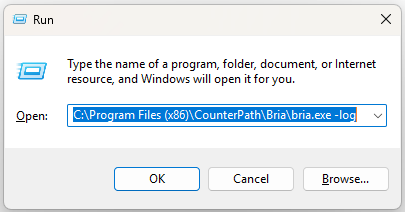
You can run Bria from a command prompt by pressing "Windows Key + R". This will bring up a run command window. if you installed Bria in the default location, the path should be:
C:\Program Files (x86)\CounterPath\Bria\bria.exe -log
The log file can be found in:
C:\Users\(USERNAME)\AppData\Roaming\CounterPath Corporation\Bria\6.0\default_user\Logs
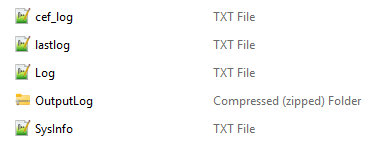
(USERNAME) in this case refers to the name of the Windows account that installed Bria. Also, the AppData folder is hidden by default; you can navigate to it by entering %APPDATA% in the address bar in Windows Explorer.
Please forward this log to Commschannel by attaching it to your open ticket with helpdesk@commschannel.com.au
